
Town Tech · Call or text 863-288-0123 · 217 Main Street, Auburndale, FL 33823
How to enable favorites bar and save favorite in Edge
Simple steps with a picture: how to turn on the favorites bar and save a favorite in Edge.
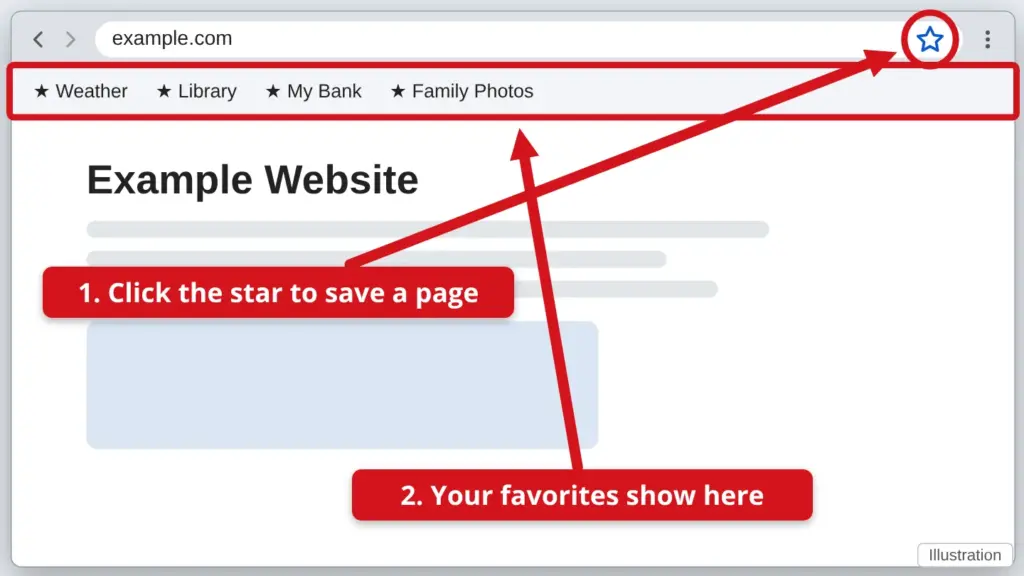
- To show the favorites bar, press Ctrl + Shift + B together. Press them again to hide it. A row of your saved sites appears under the address bar.
- To save a page, open it and click the star at the right end of the address bar.
- Check that the Folder says Favorites bar, then click Done. Now the page shows in the row under the address bar.
- To open a favorite, click its name in the bar.
Edge menus change from time to time. If the bar will not show, call us.
Stuck? Call or text Town Tech at 863-288-0123. We are happy to help.
Find this guide online: townlearn.com/how-to-enable-favorites-bar-and-save-favorite-in-edge/
Still stuck? Call or text Town Tech: 863-288-0123 (Tue–Fri, 10 AM–4 PM)
Still stuck? Call or text Town Tech: 863-288-0123 (Tue–Fri, 10 AM–4 PM)